
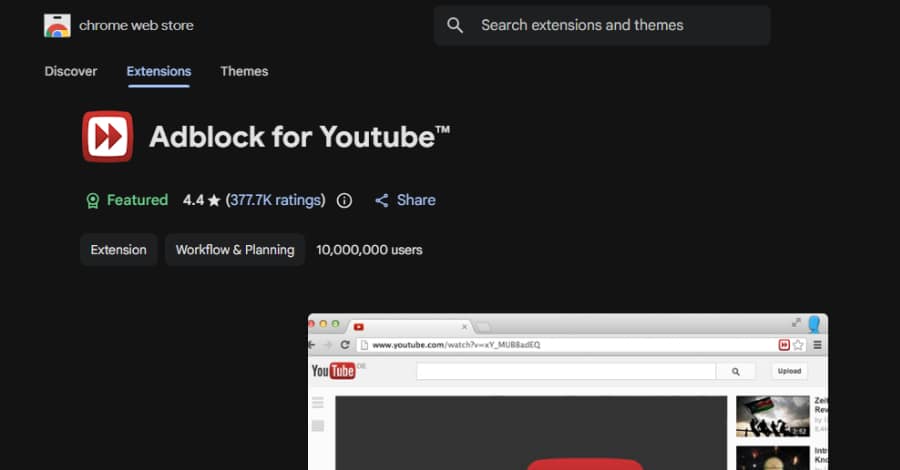
A widely used Google Chrome extension designed to block YouTube advertisements has come under scrutiny after security researchers discovered it contains the capability to execute arbitrary JavaScript code on web pages.
The extension, Adblock for YouTube (Chrome ID: cmedhionkhpnakcndndgjdbohmhepckk), has been installed more than 10 million times and carries Google’s Featured badge on the Chrome Web Store.
Although researchers found no evidence that the functionality has been abused, they warn that the extension’s architecture could allow malicious code execution through a server-side configuration change without requiring users to install an update.
Hidden Capability Raises Security Concerns
Researchers at Island revealed that the extension includes a remote-controlled mechanism capable of running JavaScript on virtually any website.
According to the report, activating this capability would require only a configuration change on the extension’s backend server. No Chrome Web Store review, extension update, or user interaction would be necessary.
If abused, the feature could potentially allow attackers to:
- Read web page content
- Access sensitive information
- Interact with websites on behalf of users
- Hijack authenticated browser sessions
- Steal data from personal or enterprise applications
Researchers emphasized that they found no evidence indicating the feature has been used maliciously.
However, the presence of this dormant capability, combined with the extension’s extensive browser permissions, presents a potential security and privacy risk.
Extension Evolution Raises Questions
Adblock for YouTube has been available on the Chrome Web Store since 2014.
Initially released as a simple YouTube advertisement blocker, the extension changed ownership in 2018. Earlier versions also included an advertising software development kit (SDK) known as Unistream SDK, which was removed in June 2024.
Researchers noted that while the ad injection SDK is gone, the extension has contained a remote-controlled script execution pathway since February 2025.
How the Remote Script Execution Works
The extension relies on a collection of JavaScript “scriptlets” used to block advertisements.
These scriptlets are selected remotely through server-provided configuration data, allowing the extension to determine which functions should execute on a user’s browser.
One of those scriptlets, called trusted-create-element, can generate HTML elements dynamically.
If configured to create a script element and supplied with JavaScript code, it could execute arbitrary code directly within the context of the visited website.
Importantly, researchers clarified that trusted-create-element is not proprietary code written by the extension developer. Instead, it originates from AdGuard’s open-source scriptlet library, which is also used by several other browser-based ad blockers.
The concern lies not with the scriptlet itself but with the extension’s ability to remotely invoke it through backend configuration.
At the time of analysis, researchers confirmed that this capability remained inactive.
No Update Required to Enable the Feature
Island researchers warned that the functionality is dormant rather than removed.
Because the extension receives configuration from remote servers, enabling JavaScript execution would require only a backend change.
This means users would receive the new behavior immediately without downloading an updated version of the extension or triggering Google’s extension review process.
Browser Permissions Increase Potential Impact
Like many content-blocking extensions, Adblock for YouTube requests broad browser permissions so it can inspect traffic, modify web pages, and remove advertisements.
Researchers discovered that despite its name, the extension is active on every website users visit—not just YouTube.
Although the extension checks whether the current URL contains the text “youtube.com”, it does not verify whether users are actually visiting the YouTube domain.
As a result, the condition can be bypassed by simply including the string “youtube.com” anywhere within a URL.
Examples include:
- facebook.com/page?ref=youtube.com
- bank.example.com/search?q=youtube.com
- internal.corp.com/redirect?from=youtube.com
This behavior could potentially expand the attack surface beyond YouTube itself.
Additional Concerns Identified
Researchers said the security issue stems from several factors working together rather than a single vulnerable line of code.
The concerns include:
- More than 10 million installations
- Permissions covering all websites
- Remote-controlled script selection
- Previous use of ad-injection technology
- Ownership and codebase changes over time
- Connections to similar browser extensions previously removed from the Chrome Web Store for malware-related activity
Several related extensions have already been removed from Google’s marketplace, including:
- Adblock for Chrome
- Adblock for You
- AdBlock Suite
Similar Browser Extension Threats Emerging
The disclosure comes shortly after researchers from Palo Alto Networks Unit 42 uncovered another campaign involving 18 malicious browser extensions impersonating well-known consumer brands.
Those extensions redirected users to .shop domains before encouraging them to install a gaming-focused browser under the pretense of resolving compatibility issues.
The findings highlight the growing abuse of browser extensions as an attack vector for phishing, affiliate fraud, and potential malware distribution.
Developer Responds to the Findings
Following publication of the research, AdBlock Ltd. founder Mathias Rochus stated that the extension has never used the identified capability and has no plans to do so.
The company also announced that an update has been submitted to the Chrome Web Store that introduces two security improvements:
- URL validation will verify the actual YouTube hostname instead of simply searching for the text “youtube.com” anywhere in a URL.
- Server-side configuration will no longer be able to trigger creation or injection of executable script elements.
The update is currently awaiting Google’s review before becoming available to users.
Rochus also confirmed that the trusted-create-element scriptlet originates from AdGuard’s open-source library, not from code developed by AdBlock Ltd.
Final Thoughts
Although there is currently no evidence that users have been targeted through this capability, the research highlights the risks associated with browser extensions that possess broad permissions and receive remote configuration updates.
Security experts recommend that organizations regularly audit installed browser extensions, limit unnecessary permissions, and review high-privilege add-ons—even those distributed through official extension marketplaces.
As browser extensions continue to gain powerful capabilities, transparency around remote configuration mechanisms remains essential for maintaining user trust and security.
