
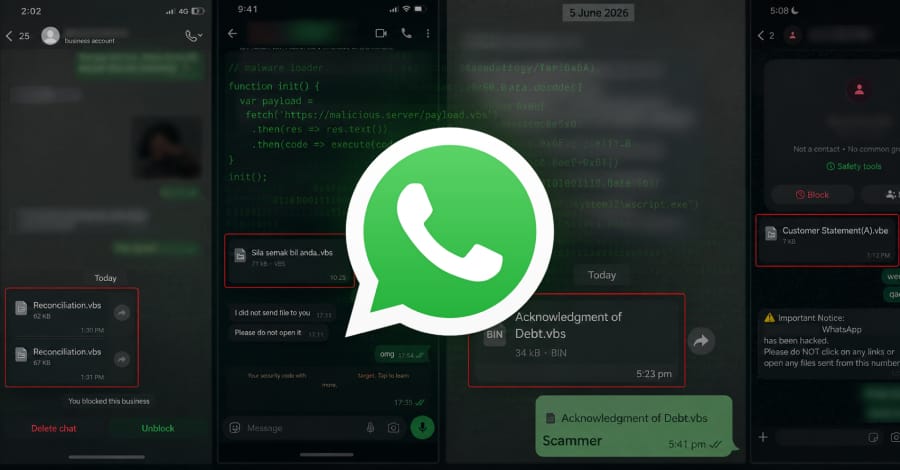
Security researchers have uncovered an ongoing malware campaign that uses WhatsApp messages to spread malicious Visual Basic Script (VBScript) files disguised as legitimate business and financial documents.
According to researchers at Kaspersky, the campaign primarily targets users of WhatsApp Desktop and WhatsApp Web, ultimately leading to the installation of legitimate Remote Monitoring and Management (RMM) software that gives attackers remote access to compromised systems.
Multiple Countries Affected
The attack has been observed across several countries, including:
- Malaysia
- Brazil
- India
- Mexico
- Singapore
- United Kingdom
- Spain
- Taiwan
- Australia
- Russia
- Vietnam
Researchers noted that the highest number of victims has been recorded in Malaysia.
Attackers Exploit Trusted WhatsApp Contacts
Investigators believe threat actors may have gained unauthorized access to multiple WhatsApp accounts and are using those compromised accounts to send malicious files to existing contacts.
Because the files appear to come from trusted friends, colleagues, or business associates, recipients are more likely to download and open them without suspicion.
However, researchers have not yet determined how the attackers initially compromised the WhatsApp accounts involved in the campaign.
Fake Business Documents Hide Malicious Scripts
The malware is delivered through heavily obfuscated VBScript files disguised as legitimate business records.
Examples of deceptive filenames include:
- Financial Reports.vbs
- Account Statement.vbs
Researchers also discovered versions of the files written in Portuguese, French, German, and Malay, indicating that the campaign is designed to target victims across multiple regions and languages.
To make the files appear legitimate, attackers embedded large amounts of fake comments and metadata that mimic Microsoft Windows Update components.
Many of these comments are written in Chinese and reference topics such as:
- Windows Update modules
- Certificate validation
- System integrity checks
- Software deployment functions
This technique helps disguise the malicious code and complicates analysis.
How the Infection Chain Works
Once a victim opens the file, Windows launches the script using the built-in WScript.exe process.
The script then downloads and executes additional VBScript payloads from a remote server, triggering a multi-stage infection process.
Researchers observed different execution methods depending on how the victim accesses WhatsApp.
WhatsApp Web Users
For WhatsApp Web users, the attack requires the victim to manually download the file and open it from the Downloads folder or browser download history.
Because the file appears to be a legitimate document, users may unknowingly execute the malware.
WhatsApp Desktop Users
In the desktop application, the process is even more seamless.
Analysis revealed that WhatsApp.Root.exe, a background process associated with the desktop client, launches WScript.exe directly when the malicious attachment is opened, allowing the infection chain to begin immediately.
Malware Installs Legitimate Remote Management Software
The primary objective of the malicious script is to retrieve two secondary VBScript payloads.
One payload attempts to manipulate Windows User Account Control (UAC) settings to reduce security prompts and increase the attacker’s privileges.
The second payload downloads a ZIP archive containing the installation package for:
- ManageEngine RMM Central
Although ManageEngine RMM Central is a legitimate remote administration tool commonly used by IT teams, cybercriminals can abuse it to gain persistent remote access to infected systems.
Possible Links to Known Malware Operations
While researchers have not formally attributed the campaign to a specific threat group, they identified infrastructure overlaps with previous activity associated with:
- Gh0st RAT
- ValleyRAT
The shared infrastructure suggests possible connections to earlier malware campaigns, although additional evidence is required before making a definitive attribution.
How Users Can Protect Themselves
Security experts recommend exercising caution when receiving unexpected files through WhatsApp, even when they originate from known contacts.
Users should avoid opening script-based or executable file formats unless their authenticity has been independently verified.
High-risk file types include:
- VBS
- VBE
- EXE
- BAT
- CMD
- JS
- PS1
Organizations should also educate employees about social engineering attacks and implement endpoint security solutions capable of detecting suspicious script activity.
Final Thoughts
This campaign highlights how cybercriminals continue to exploit trusted communication platforms such as WhatsApp to distribute malware. By disguising malicious scripts as routine business documents and leveraging compromised accounts, attackers can significantly increase the likelihood of successful infections.
Users should remain vigilant when handling unexpected attachments and verify file legitimacy before opening any executable or script-based content.
