
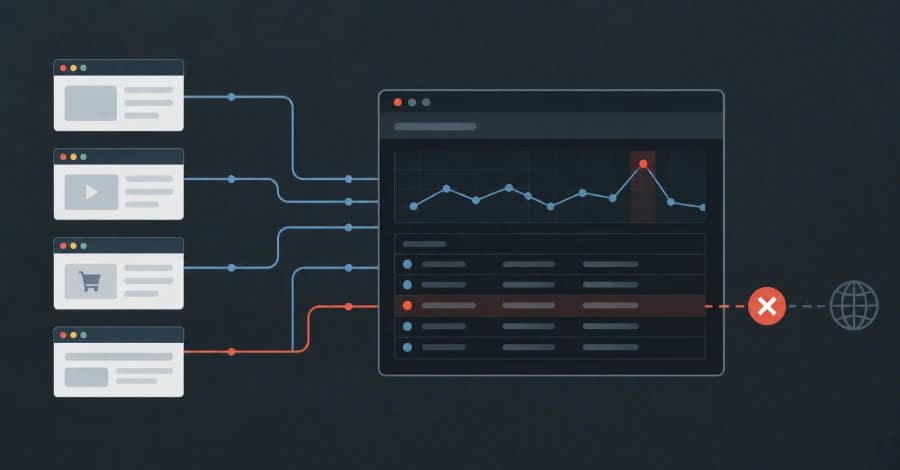
In July 2025, someone registered a domain that had once belonged to a content delivery network (CDN). The CDN had been shut down years earlier, and the domain previously used to deliver its assets had eventually expired.
But while the infrastructure disappeared, its references did not.
Thousands of websites, code repositories, and documentation pages still contained hard-coded references to hostnames beneath the abandoned domain.
The new owner gained wildcard DNS control over the entire domain, meaning that any hostname under it could now resolve to infrastructure controlled by the new registrant.
Today, the domain’s main website serves an ad-heavy media downloader page—nothing particularly unusual. The more concerning issue is what happens when thousands of forgotten references to that domain are requested.
The decision about what those pages load is now controlled by someone who was never involved with the original websites.
And in many cases, nobody has been notified.
From the outside, nothing appears to be broken.
This Attack Pattern Is Already Being Seen
The scenario is not hypothetical.
In June 2024, the polyfill.io domain changed ownership. The service had been used as a JavaScript compatibility layer by more than 110,000 websites.
After the change in ownership, the domain was used to serve conditional redirects to some visitors, including mobile users.
The websites themselves had not necessarily been compromised. Instead, they were still loading a third-party script that their developers had trusted years earlier.
The underlying problem is simple: organizations often continue to depend on external resources long after the original owner, infrastructure, or security assumptions surrounding those resources have changed.
Both situations demonstrate a security gap that many organizations do not routinely monitor:
Malicious code does not necessarily need to be deployed to your server.
It can arrive later through an external dependency that your website is still loading.
Server-Side Security Tools Can Miss the Problem
Traditional application security tools—including static analysis, dependency scanning, and software composition analysis (SCA)—are designed to examine the code an organization builds, maintains, and ships.
A remotely hosted third-party script is different.
The browser retrieves it directly from an external server controlled by another party. The script may not exist anywhere in the organization’s source repository or deployment package.
That makes these dependencies particularly difficult to monitor using conventional server-side security controls.
There is another complication: the content delivered by a third-party server does not necessarily have to be identical for every visitor.
A malicious response could potentially vary depending on factors such as:
- Geographic location
- IP address
- User agent
- Referrer
- Time of day
- Session information
- Device type
A security crawler accessing a resource from a data-center IP address could receive a harmless response, while a real customer accessing the same resource from a mobile network in another country could receive something entirely different.
A single automated scan therefore may not reveal what every visitor is actually receiving.
Third-Party JavaScript Has Significant Access
The security implications become more serious because third-party JavaScript executes inside the visitor’s browser with substantial access to the page.
Depending on the site’s architecture and browser security controls, an injected or compromised script may be able to interact with the DOM, access information entered into forms, interact with cookies or local storage, and send data to external destinations.
This is one reason client-side attacks such as Magecart-style attacks can be so damaging.
An attacker does not necessarily need to compromise the organization’s backend infrastructure.
In some cases, compromising or hijacking a single trusted script dependency can be enough to introduce malicious behavior into otherwise legitimate pages.
The Browser Is the Security Observer You Already Have
There is one component that is present during virtually every page view: the visitor’s browser.
This makes browser-side security controls particularly valuable for detecting unexpected third-party behavior.
One of the most important mechanisms is Content Security Policy (CSP).
CSP is commonly associated with defending against cross-site scripting (XSS), but it can also provide security teams with visibility into the resources browsers are actually attempting to load.
A properly configured CSP can define which scripts, domains, and other resources a website is permitted to use. It can also generate reports when browsers encounter activity that violates the defined policy.
Those reports come from real browsing sessions involving real users, devices, networks, and geographic locations.
That distinction matters.
A malicious payload that only activates for users in a particular country, for example, may never appear during a conventional security scan. But if the affected user’s browser encounters a CSP violation, the event can still be reported.
CSP Monitoring Can Reveal Attacks That Traditional Scanners Miss
This approach has already demonstrated practical value.
In September 2026, CSP alerts collected by Report URI helped surface a cluster of compromised e-commerce websites involved in a social-engineering campaign associated with the ClickFix attack technique.
According to the reported activity, Base64-encoded loaders had been injected into CMS content following an administrative compromise.
The attack chain involved a redirector and a fake “verify you are human” prompt designed to persuade victims to place a PowerShell command on their clipboard. The command could then be used to establish persistence through a scheduled task.
Notably, attacker-controlled hostnames appeared in browser-generated security alerts from victims while some of those domains were still considered clean by mainstream reputation services.
The websites’ servers could therefore appear normal even while visitors were being exposed to malicious content.
That is an important distinction:
The server can be clean while the browser is receiving something malicious.
You Can Deploy CSP in Report-Only Mode
One of the biggest concerns organizations have about implementing CSP is the possibility of breaking legitimate website functionality.
Fortunately, CSP does not have to be enforced immediately.
Organizations can initially deploy Content-Security-Policy-Report-Only.
In report-only mode, the policy does not block resources or change the site’s behavior. Instead, browsers report what would have violated the proposed policy.
This makes the initial rollout a relatively low-risk measurement exercise.
Security teams can use the resulting reports to build an inventory of the scripts, domains, and other external resources being requested by their websites.
And for many organizations, that inventory can be surprisingly large.
The Security Lesson
Third-party dependencies are often treated as if they were static components of an application.
They are not.
A remotely hosted JavaScript file can change without a new deployment from your organization. An abandoned domain can be registered by someone else. A previously trusted service can change ownership. A forgotten hostname can begin resolving to infrastructure controlled by an unknown party.
None of these events necessarily trigger a conventional software deployment or server-side security scan.
The browser, however, sees the result.
That is why organizations should consider browser-side telemetry—including CSP reporting—as an additional layer of application security.
Starting with CSP in report-only mode can provide visibility into what websites are actually loading before an organization begins enforcing restrictions.
In a web environment increasingly dependent on third-party code, knowing what your users’ browsers are executing can be just as important as knowing what code is deployed on your own servers.
