
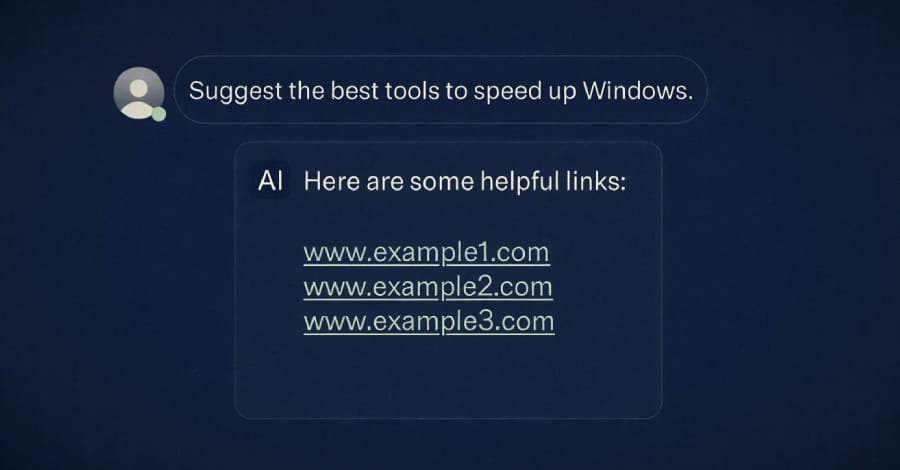
Microsoft has uncovered an active cryptojacking campaign that is using artificial intelligence (AI) chatbot responses to distribute malicious software through fake download websites.
According to Microsoft Defender Experts and the Microsoft Defender Security Research Team, attackers are exploiting AI-generated software recommendations to lure users into downloading malware disguised as trusted system tools.
AI Chatbots Used to Spread Malware
Traditionally, cybercriminals relied on SEO poisoning to push malicious websites to the top of search engine results. However, Microsoft says threat actors are now adapting their tactics by manipulating AI chatbot responses.
Users searching for popular hardware-monitoring and system utility tools through AI-powered assistants are reportedly being shown links to attacker-controlled websites. These fake sites imitate legitimate software providers and encourage victims to download infected files.
Microsoft observed attackers impersonating well-known utilities including:
- CrystalDiskInfo
- HWMonitor
- Display Driver Uninstaller (DDU)
- FurMark
- K-Lite Codec Pack
- PDFgear
The campaign appears to specifically target users with high-performance GPUs, likely because such systems offer greater cryptocurrency mining potential.
More Than Just Cryptomining
While the primary objective is cryptojacking, Microsoft warns the attacks go far beyond unauthorized crypto mining.
Threat actors are also deploying ScreenConnect remote access software to maintain persistent control over compromised systems. This access could later be used for:
- Data theft
- Lateral network movement
- Credential harvesting
- Ransomware deployment
Unlike traditional large-scale cryptomining campaigns, this operation focuses on infecting fewer but more powerful systems to maximize mining efficiency.
How the Attack Works
The infection chain begins when a user clicks a malicious download link provided either through search engines or AI chatbot recommendations.
Step 1: Fake Software Download
Victims are redirected to spoofed software download pages containing a fake download button. Clicking the button downloads a ZIP archive hosted on attacker-controlled infrastructure linked to the Dynu dynamic DNS service.
Microsoft identified more than 150 malicious domains involved in the campaign.
Step 2: DLL Sideloading
The ZIP archive contains:
- A legitimate executable
- A malicious DLL file named
autorun.dll
When the user launches the executable, the rogue DLL is sideloaded and installs another malicious DLL called vcredist_x64.dll using msiexec.exe.
This installer deploys ScreenConnect software, enabling attackers to remotely access the infected machine.
Step 3: Establishing Persistence
Once installed, ScreenConnect continuously communicates with an attacker-controlled server.
Attackers then deploy another payload called SimpleRunPE.exe, which:
- Creates Registry Run keys
- Sets up scheduled tasks
- Adds Microsoft Defender exclusions
- Performs anti-analysis checks
- Uses process hollowing techniques to hide mining activity inside trusted Microsoft-signed processes
In some cases, attackers used PowerShell scripts to disguise the malware as vlc.exe and schedule automatic execution.
Cryptocurrency Miners Delivered
The malware gathers extensive system information before downloading and running one of several cryptocurrency miners, including:
- gminer
- lolMiner
- SRBMiner-MULTI
To avoid detection, the malware monitors for security and system analysis tools such as:
- Task Manager
- Process Hacker
- Process Explorer
- System Informer
If any of these applications are detected, the miner immediately shuts down.
AI Search Poisoning: A Growing Threat
Microsoft says this campaign highlights how cybercriminals are evolving traditional social engineering tactics for the AI era.
The use of AI chatbots as a malware delivery channel represents a new form of “AI search poisoning,” where attackers manipulate recommendations generated by large language models (LLMs).
The company warns that users should verify software downloads carefully and avoid blindly trusting AI-generated links.
Additional Microsoft Security Findings
The disclosure comes shortly after Microsoft reported several other advanced intrusion campaigns.
In one case, attackers compromised an internet-facing F5 BIG-IP appliance before pivoting into internal systems, eventually targeting an Atlassian Confluence server.
Microsoft also detailed incidents where threat actors abused trusted third-party IT providers and legitimate management tools to gain long-term access to enterprise environments.
According to Microsoft, attackers are increasingly exploiting:
- Trusted software integrations
- Third-party service providers
- Legitimate update mechanisms
- Approved remote management tools
Microsoft’s Security Advice
Microsoft recommends organizations adopt a “trust but verify” approach when working with vendors, AI tools, and integrated management systems.
Security teams should:
- Monitor unusual software downloads
- Verify AI-generated recommendations
- Restrict privileged account access
- Audit third-party integrations regularly
- Watch for unauthorized Defender exclusions
- Harden internet-facing infrastructure
As AI tools become more integrated into daily workflows, cybercriminals are expected to continue adapting their tactics to exploit user trust in automated recommendations.
